
How to Customize Your ClaimCart Storefront
Your ClaimCart storefront is the first thing customers see when they visit your shop. This guide walks you through customizing your storefront by updating your store name, banner, colors, About Me section, social media links, shipping methods, and payment options. A personalized ClaimCart storefront helps you create a professional shopping experience that reflects your brand and makes it easy for customers to shop with confidence.
Go To Store Settings
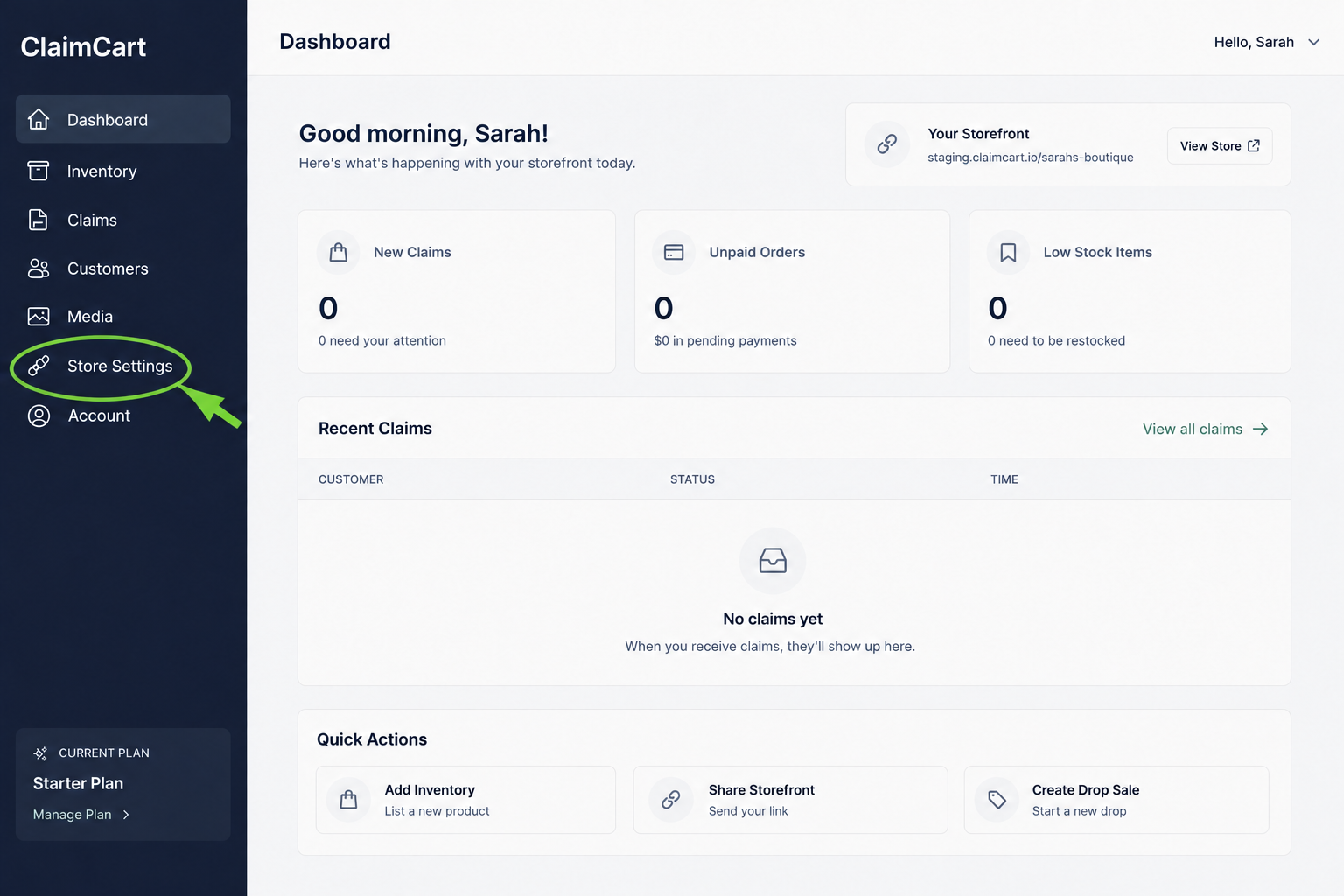
To begin editting your storefront, start by clicking Store Settings in the left-hand menu.
2. Update Your Store Details
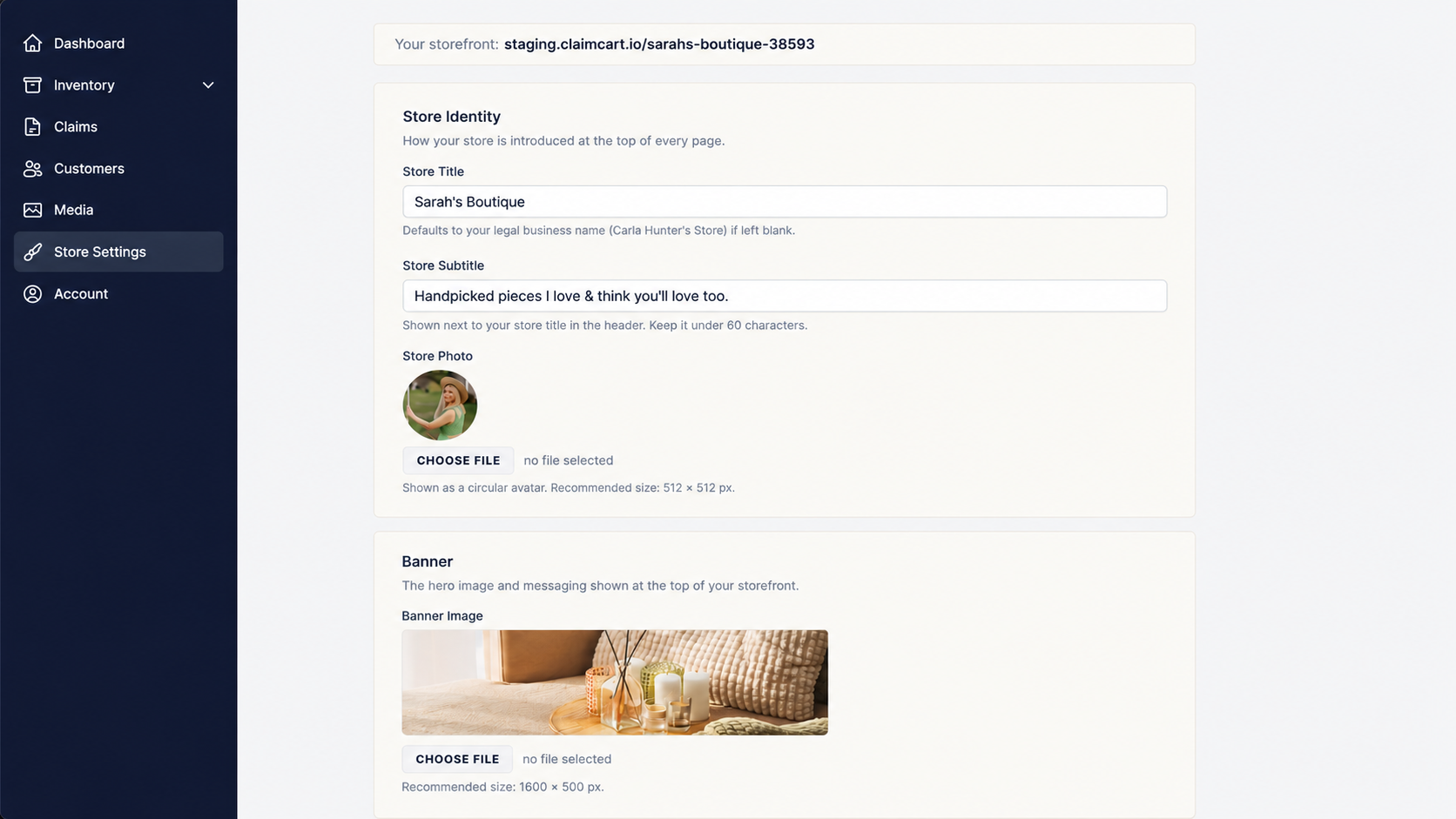
Enter your Store Title, Store Subtitle, upload your Store Photo or Logo, and choose a Banner Image. These details appear at the top of your storefront and help customers recognize your brand.
3. Customize Your Banner & Colors
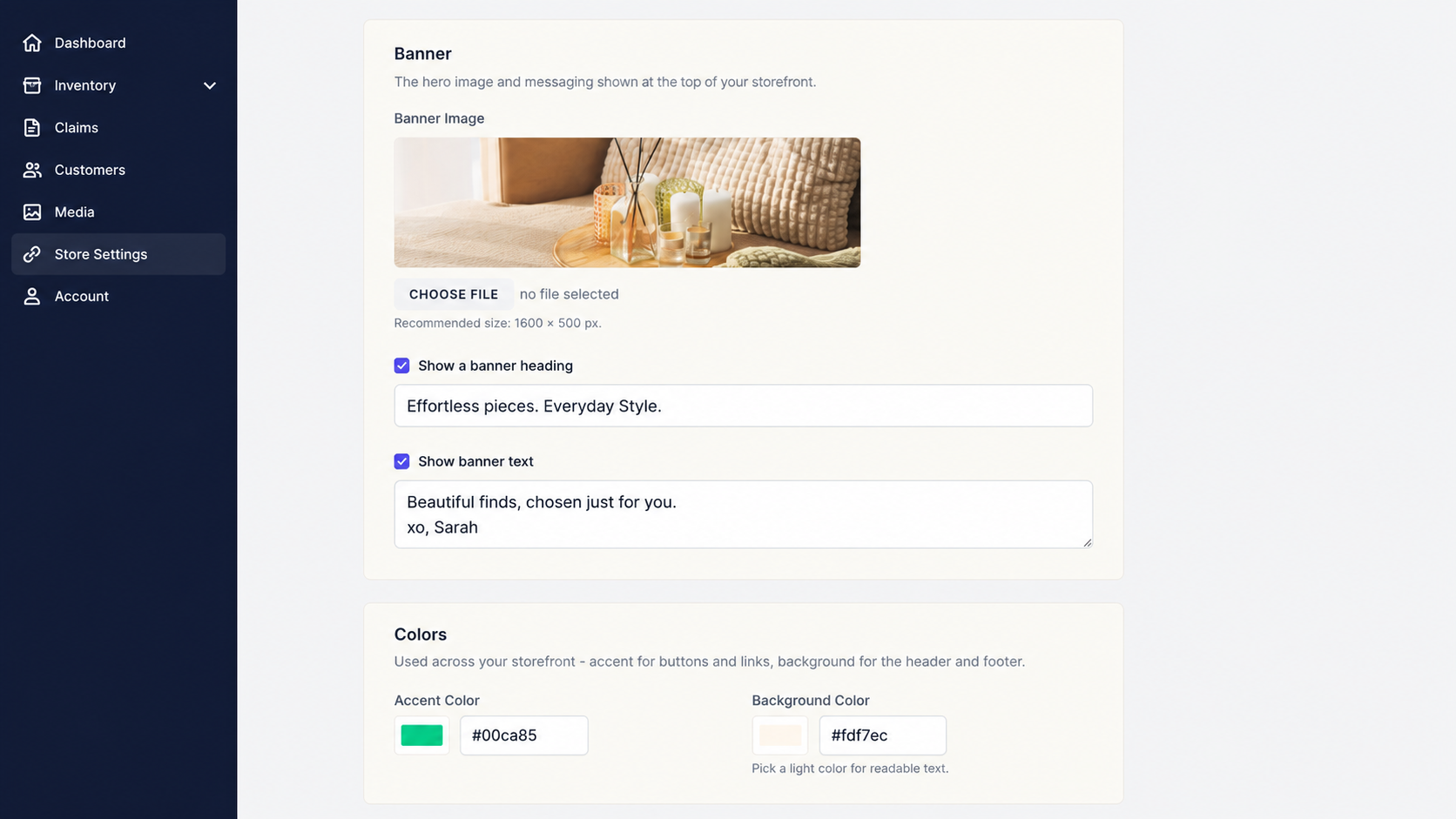
Add a banner heading and message to showcase your brand, then choose your accent color and header/footer background color to personalize the look of your storefront.
4. Tell Customers About Yourself
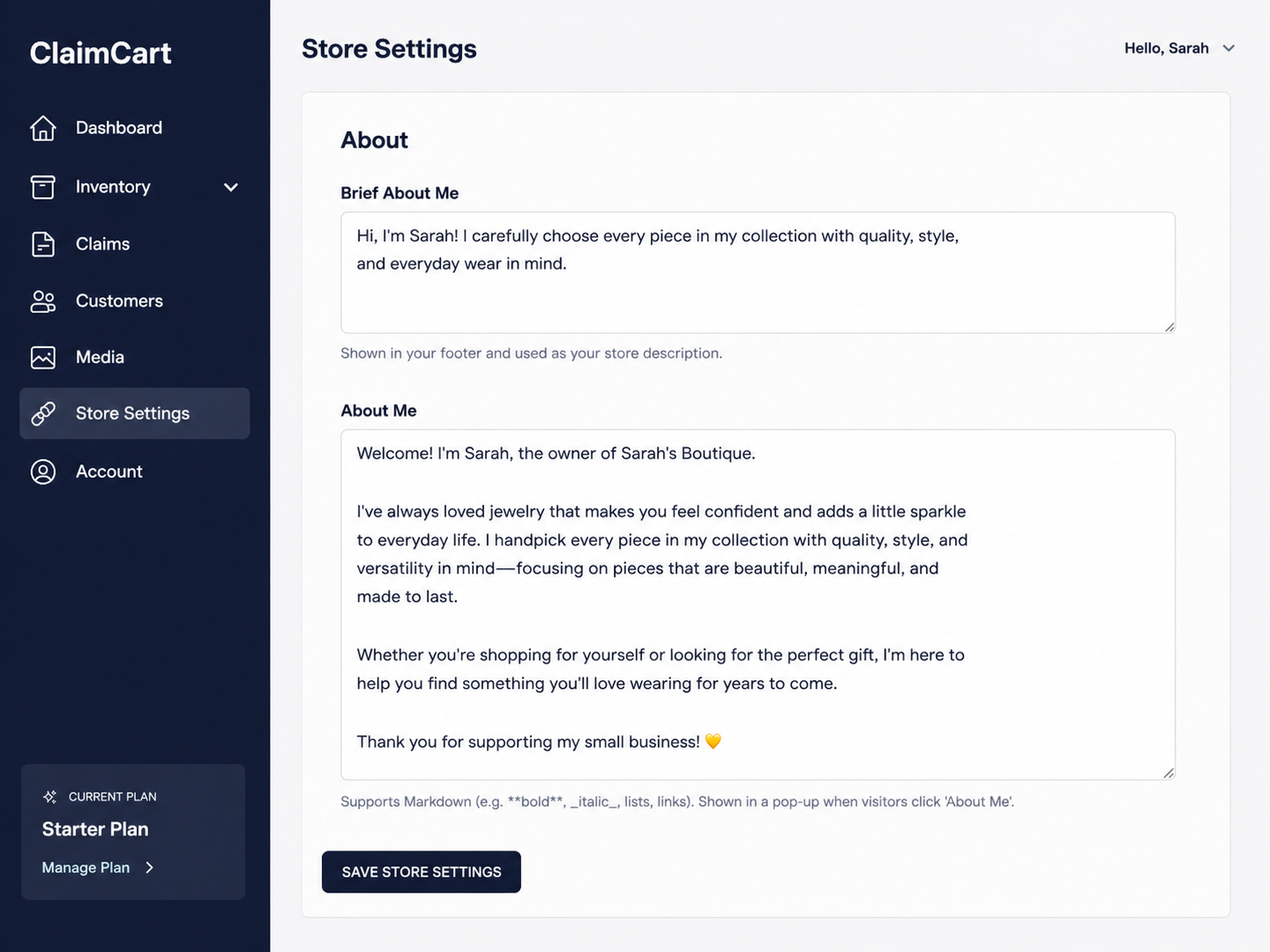
Add a short footer introduction and a more detailed About Me that appears when customers click theAbout Me button. Share your story, build trust, and let shoppers get to know the person behind your storefront
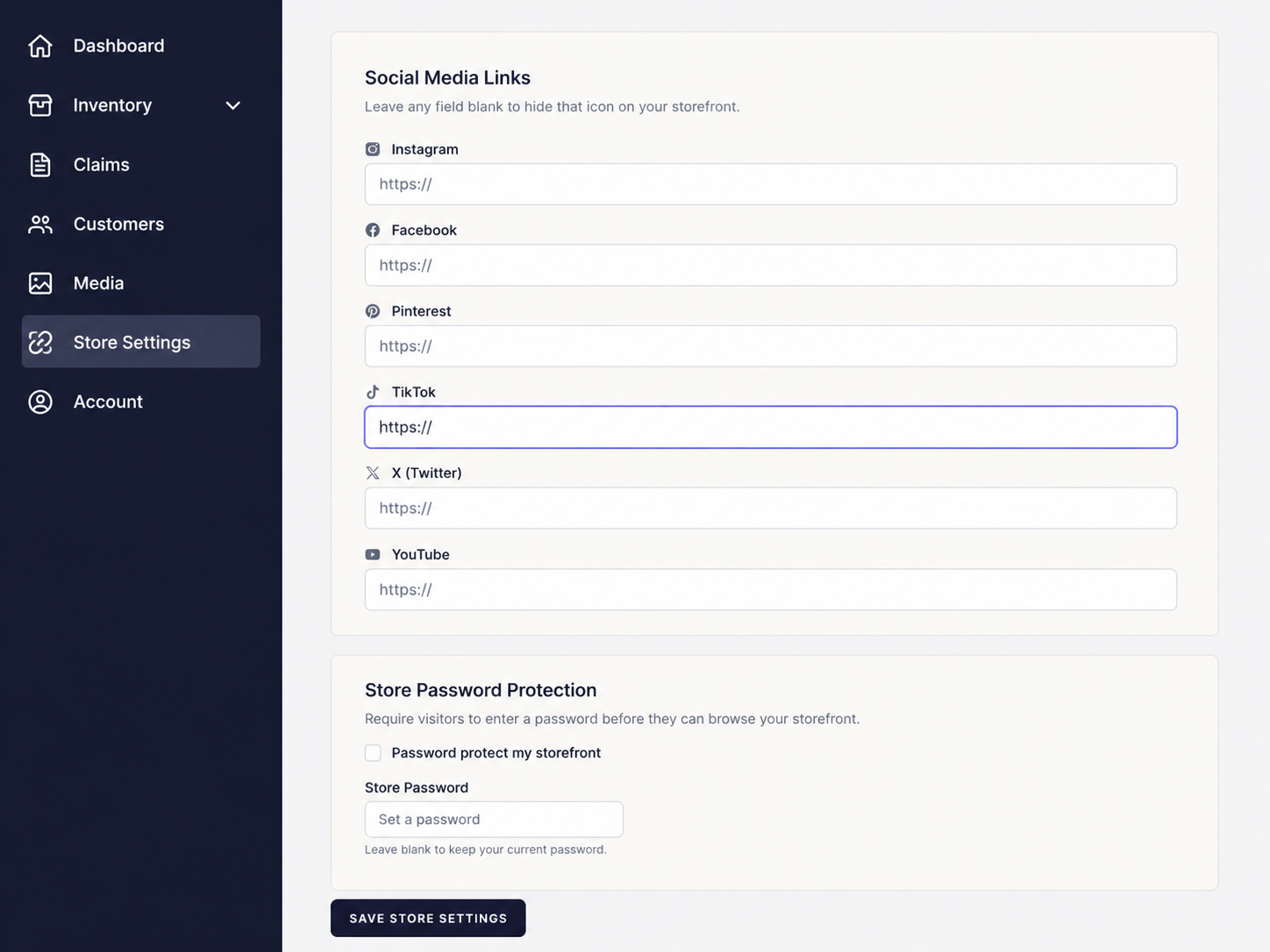
5. Add Social Media Links
Connect your social media accounts to make it easy for customers to follow you. You can also enable password protection if you'd like to keep your storefront private.
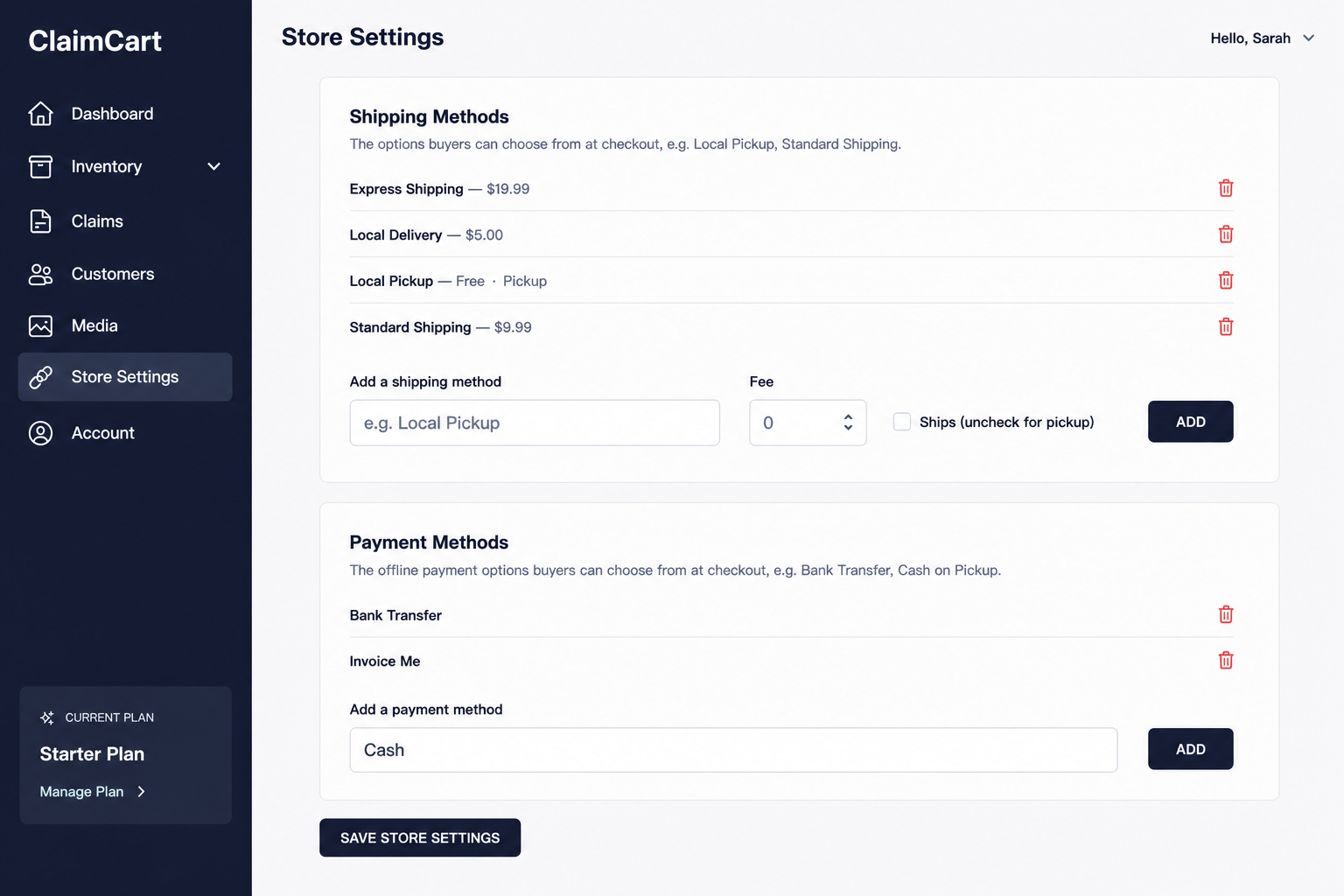
6. Set Up Shipping & Payment Methods
Add the shipping and payment options your customers can choose during checkout. You can create multiple methods, set shipping fees, offer local pickup or delivery, and customize payment options to fit the way you do business. Click Save Store Settings.
Need Help?
If your storefront doesn't look the way you expected after making changes, try the following:
Click Save Store Settings before leaving the page.
Refresh your storefront to see your latest updates.
Double-check that your images meet the recommended sizes.
Make sure you've filled in all required fields
If the issue continues, contact the ClaimCart support team.